Build Your Ride AR
An Android AR car configurator built in Unity: point your phone at the floor and a full-scale 3D car appears, scaled to its real length — a Porsche is genuinely 4.6 m long. The car is parented to a plane-locked ARCore anchor rather than placed in free space, so it holds its physical spot as ARCore revises its map of the room. Real-time light estimation, a contact shadow, and depth-based occlusion on supported phones ground it in the space instead of looking pasted on.
5 cars at true real-world scale, anchor-locked placement, live light estimation + contact shadow + depth occlusion — 60 fps on a Galaxy S23 at 57 MB (down from a 114 MB first pass).
Point your phone at the floor and tap. A full-scale 3D car appears in the room with you — a Porsche is genuinely 4.6 m long — and you can walk around it and change it live: paint, wheels, callipers, spoiler.
An AR configurator that holds its spot in the room.
Built in Unity with AR Foundation and ARCore. The car isn't dropped where you pointed — it's anchored to the detected floor plane and parented to that anchor, so as ARCore keeps revising its estimate of where the room actually is, the car follows the correction instead of drifting away from it. The first version of this project skipped the anchor. That's why it drifted.
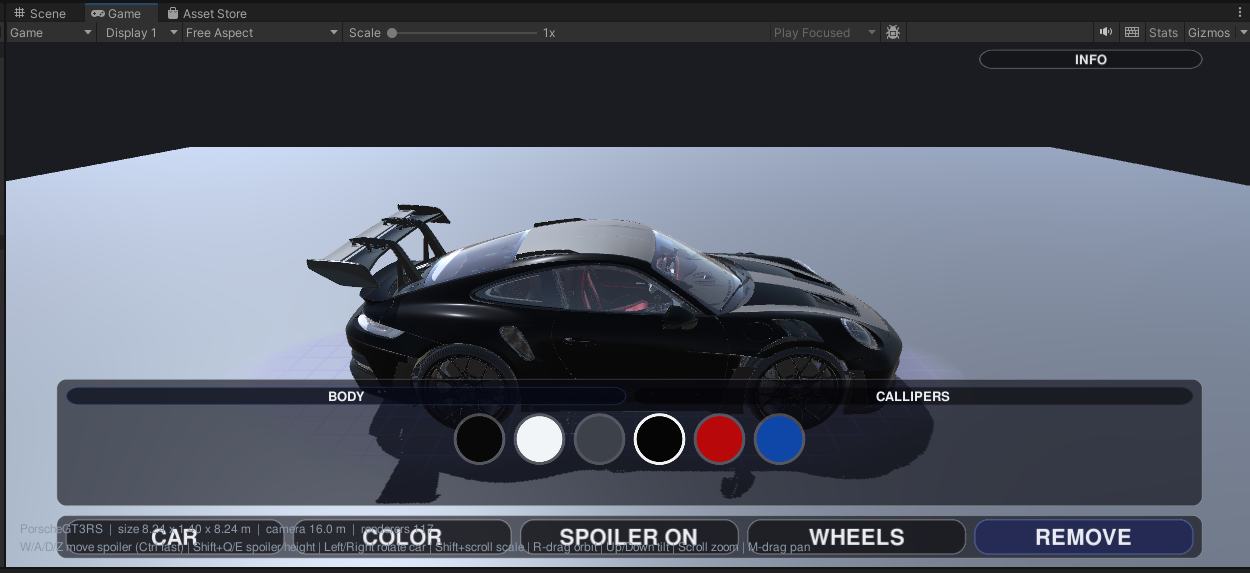
Five cars, one generic pipeline.
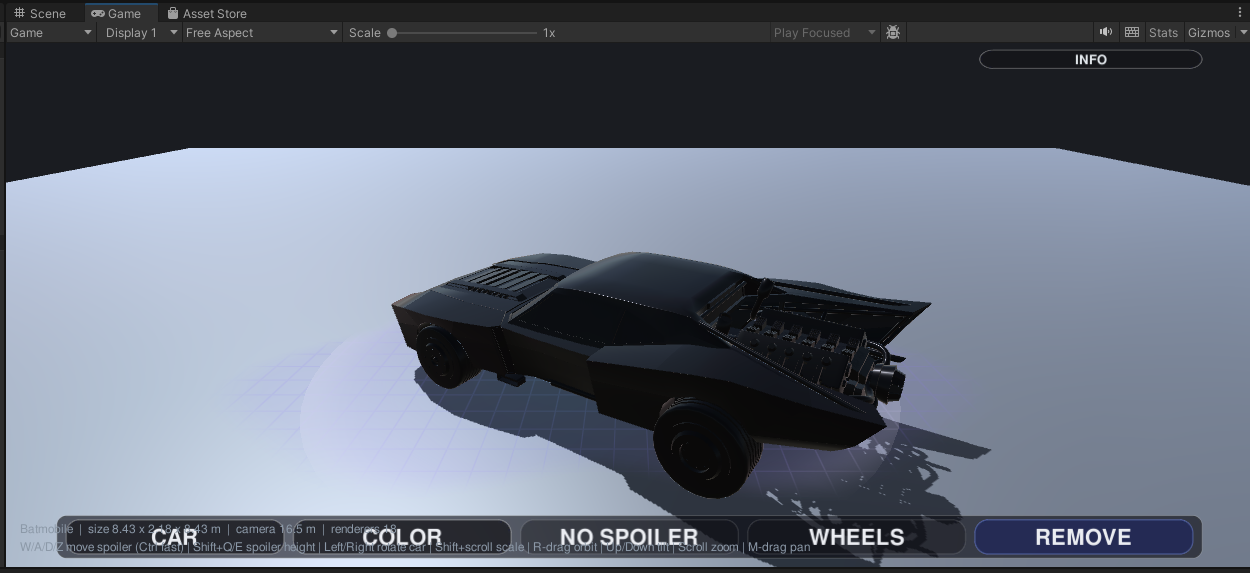
Including a literal Batmobile — built-in rear fins, callipers-only paint — sitting next to a Porsche 911 GT3 RS with a toggleable rear wing and full body/wheel/calliper paint.
| Car | Length | Paint | Spoiler |
|---|---|---|---|
| Porsche 911 GT3 RS (992) | 4.60 m | Body · Wheels · Callipers | Built-in rear wing, toggles |
| Maserati Quattroporte | 5.26 m | Body · Wheels · Callipers | Add-on |
| Generic Sport Coupe | 4.50 m | Body · Wheels · Callipers | Add-on |
| Batmobile | 4.60 m | Callipers only | Built-in rear fins |
| 1936 American Sedan | 5.00 m | — | —Deliberately untouched |
The 1936 Sedan renders exactly as its original artist modelled it — a reference point standing next to the modern cars, deliberately left out of the paint pipeline.
The anchor is the whole trick.
ARCore constantly revises where it thinks the floor really is. Because the car is a child of the anchor rather than a model dropped in free world space, it inherits those corrections and stays on the same physical spot as you walk around it.
One finger drags to move, two fingers twist to rotate and pinch to resize — all while the anchor stays locked to the plane it was created on.
divergence = |carMovement − anchorMovement|. Near zero while both move means ARCore is correctly re-estimating and the car is following. A growing gap means the car came loose from its anchor — a parenting bug, not a tracking problem. Without this distinction, a healthy correction reads as broken tracking.
Not pasted on — present.
ARCore measures the room's actual brightness, colour and direction of light and drives the scene light with it — the single biggest reason the car reads as physically present rather than composited on top of the camera feed.
A quad under the car draws nothing except the shadow that falls on it, blended over the camera feed. Removing it is the fastest way to see how much it's doing — the car looks like a sticker without it.
On phones with the ARCore Depth API, furniture and walls correctly draw in front of the car instead of the car drawing over everything. Conditional on hardware — see "Honest about it."
One-finger drag moves the car along the floor, two-finger twist rotates it, and pinch resizes it — all live, with the customization tray staying in sync with whichever car is out.
Adding a car is config, not code.
Clicking through hundreds of material slots by hand doesn't scale to five cars, let alone more. One generic pipeline turns any downloaded FBX into a finished, paintable car.
Sorting the meshes is the interesting part. A downloaded model has no idea what a "body" is — it just carries material names like EXT_caliper or TwiXeR_992_gt3rs_carbon_Wing. The mapper matches those against keyword lists, with exclusion rules so taillights and window glass don't get repainted along with the bodywork. Adding a new car is a few lines of config — a filename, a real length in metres, an optional orientation override — not a new importer.
The interesting failures, not just the feature list.
Tap-to-place worked on the phone, but drag, twist and pinch did nothing — nothing crashed and nothing appeared in the log, which is what made it so hard to find. A script file had been deleted and recreated during development. Unity identifies scripts by a GUID in a sidecar file, and recreating the file generated a new one — the saved scene still pointed at the old GUID, so the gesture component was an empty "Missing Script" placeholder, present in the scene, doing nothing. Both safety nets had holes: a GetComponent fallback could never work, because a missing-script component isn't the type you're asking for — and the repair tool only ever wired up the component if it found one, it never added it, and its null check swallowed the failure without a word.
LessonA null-guarded "wire it up" step is not a repair. if (x != null) wire(x) does nothing in exactly the case you wrote it for.
Holding 60 fps next to camera, tracking and depth.
An AR app has to hold frame rate while also running camera capture, plane tracking and depth sensing — every millisecond spent elsewhere is a millisecond stolen from that budget.
Read the log before guessing.
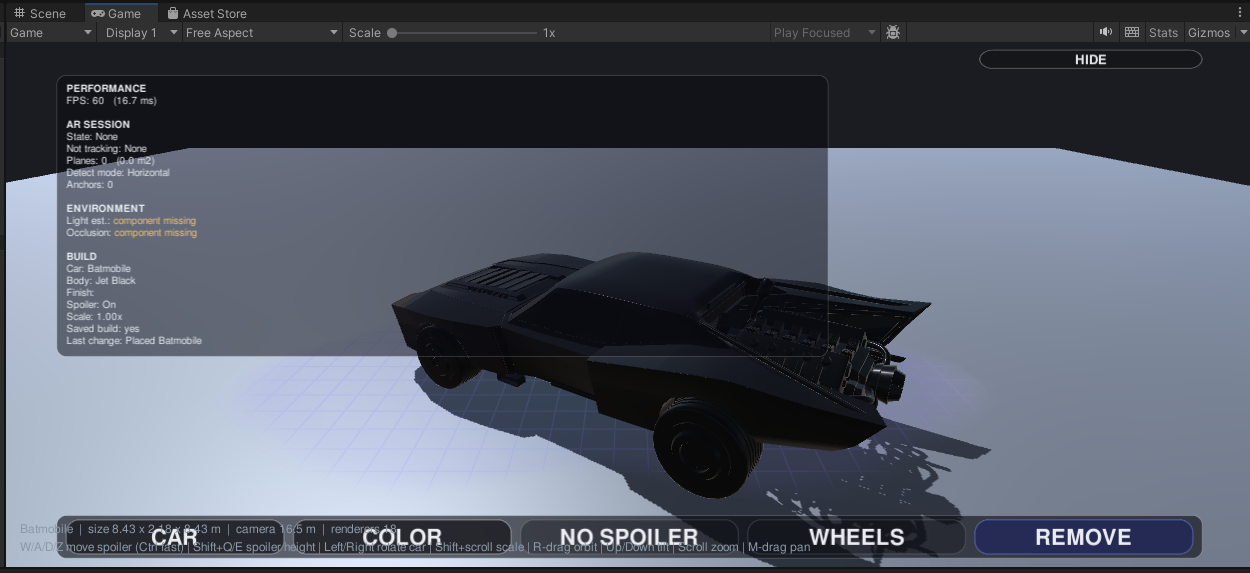
"I placed a car and see nothing" has four completely different causes that look identical to a user: off-screen, the camera is inside the model, the near plane is clipping it, or it should be visible and something else is wrong. A full run log — every touch, every raycast result, an explicit visibility verdict — usually identifies which one without needing to reproduce it.
Not solved yet.
Colours, size and angle survive a restart; the physical spot doesn't, because every AR session starts a fresh origin. Doing it properly needs cloud anchors.
Without the ARCore Depth API, the car draws over everything in front of it rather than being correctly hidden.
209 on the Maserati, 116 on the Porsche. LOD meshes and texture atlasing are the next real win, not yet shipped.
Landscape isn't a supported layout today.
This began as a university 3D Vision project — one car, a plain colour button, and a model that drifted away as you walked. That version's own conclusion named the two things wrong with it: the anchoring drifted, and the car looked pasted onto the screen rather than present in the room. This rebuild targets exactly those two — plane-attached anchoring for the first, real light estimation, contact shadows and depth occlusion for the second.
Skip-able. Everything above stands on its own — this is here for anyone who wants the engine version, the file layout, and how it's tested without a phone.
Shipped, and still being sharpened.
- →Persistent cloud anchors, so a placed car's physical spot survives closing the app (colours, size and angle already do)
- →LOD meshes + texture atlasing to cut draw calls on the detailed cars (209 on the Maserati, 116 on the Porsche)
- →Occlusion coverage beyond ARCore Depth API-capable phones
- →Landscape support — portrait-only in practice today