FarmBot Genesis — ROS 2 Digital Twin
Turning an open-source farming robot's messy CAD export into a clean, simulatable, plannable digital twin — the motion and camera-mounting layer the plant-stress thesis builds on top of.
Compressed 1,174-part CAD export into a 5-link URDF chain. X/Y axes hold position to within 1 mm under live Gazebo physics; Z axis has a known, documented oscillation bug. MoveIt 2 configured with 23 OMPL planners, 20 of which solve 100% of benchmarked goals.
The robot's own software has no simulator and can't be driven by standard motion planners. This project builds the missing piece: a digital twin you can drag around, physically simulate, and plan motion for — using the exact same tools a real robotics team would use on physical hardware.
A giant CNC machine for a garden bed — now with a proper simulator.
FarmBot Genesis is a real, open-source farming robot. Think of it as a three-axis gantry that slides a tool head along X, Y, and Z rails to water, seed, or weed a bed. Its official software has no 3D viewer, no physics simulation, and can't be controlled by any general robot-planning software.
This project rebuilds it as a proper ROS 2 robot — one you can visualize, simulate, and command with real motion-planning algorithms, all without needing the physical machine.
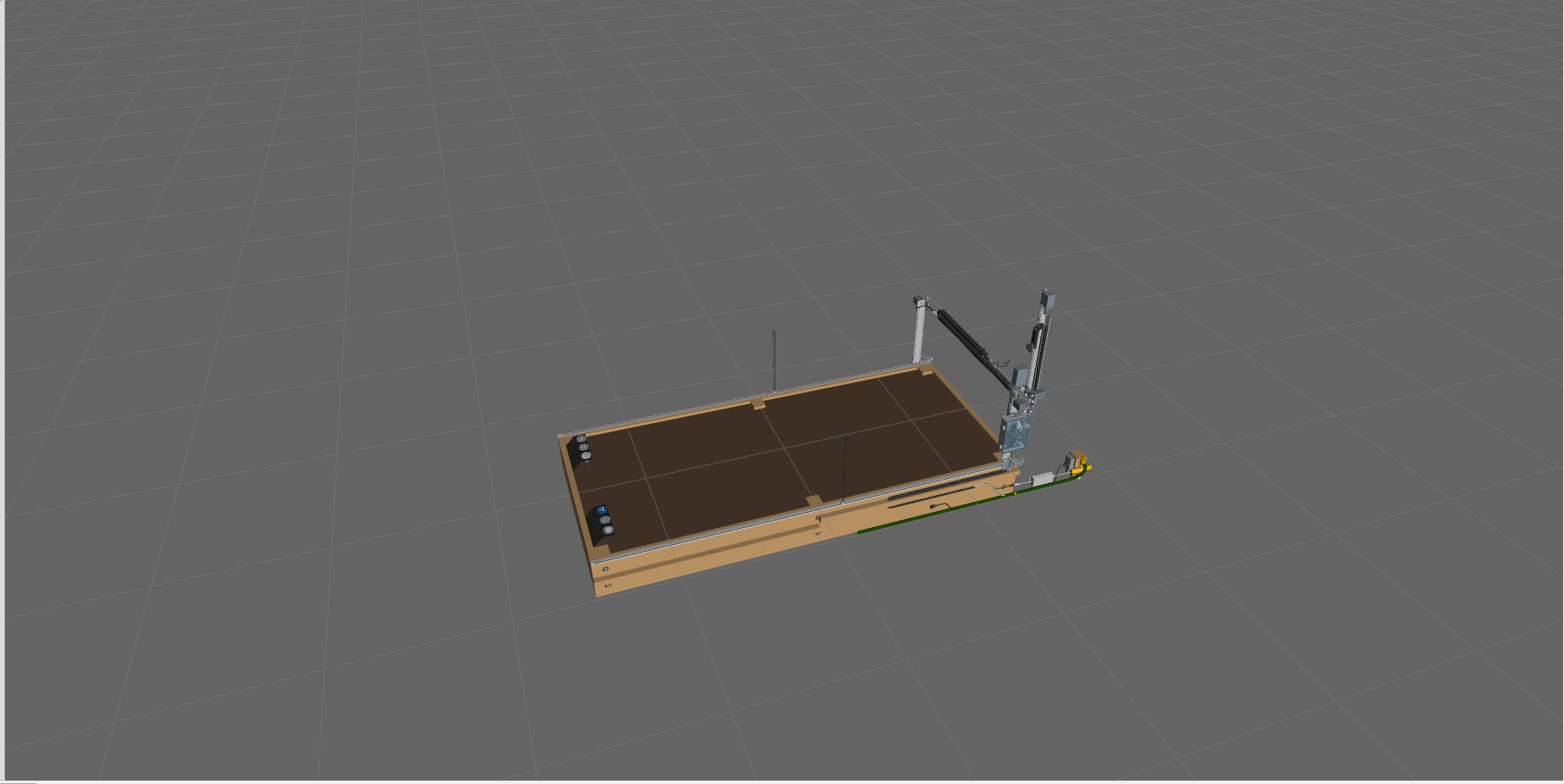
Turning a parts catalogue into a robot.
The manufacturer ships the CAD of the whole machine — every screw, every cable, every bracket, as its own separate piece. A physics engine can't reason about that. A motion planner definitely can't. So the first job is to teach a script to look at the mess and figure out which parts move together.
Every screw, cable, and bracket, each treated as its own moving piece.
Full visual detail kept, but now fast enough to simulate and plan with in real time.
Every single screw and cable is still there, visually — just grouped by the axis it rides on, so the physics engine and the motion planner only have to reason about the five things that actually move.
Look at it. Simulate it. Plan for it.
Grab a slider, watch the gantry roll along the bed. The fastest way to confirm the model's axes and travel limits match the real machine.
The same robot dropped into a physics world — gravity, contacts, sim-time — so you can test control code without breaking hardware.
MoveIt 2 treats the gantry as a proper robot with a planning group and an end effector. Twenty-three OMPL planners plus a deterministic Pilz pipeline are fully configured — 20 of 23 solve 100% of benchmarked goals. Mock-hardware plan-and-execute works today; live-physics trajectory execution is still being debugged, see below.
Two packages, one clean line down the middle.
Robotics codebases go sideways when the model, the simulator, and the planner start reaching into each other. This one is deliberately split into two ROS 2 packages so each side can change without breaking the other.
- · The clean robot model (URDF + meshes)
- · Gazebo physics world
- · ros2_control controllers
- · RViz2 view + keyboard teleop
- · Planning group and end effector
- · IK solver (KDL)
- · OMPL sampling planners
- · Pilz deterministic industrial planner
Split cleanly on purpose: the description package owns the robot's shape, the MoveIt package only adds meaning on top — which joints form a group, what counts as the tool. Change the shape, the planner still works.
The layer the plant-stress thesis stands on.
The multispectral crop-stress work needed a repeatable way to move a camera over research plots. This digital twin is that substrate — the motion, mounting, and coordinate frames the imaging pipeline hangs off, whether the camera is on a real gantry or being validated in simulation first.
What this is — and what it isn't.
A regenerable kinematic model, a Gazebo simulation, a MoveIt configuration, and operator tooling — all wired together the way a real robotics team would wire them.
ROS 2, Gazebo, and MoveIt 2 are heavyweight desktop tools. This one lives in a colcon workspace, not in a tab — the repository is the artifact.
The five moving pieces, the joint limits, the slower Z axis — all reflect the physical FarmBot Genesis, not a simplified toy model.
The control interfaces are ready for a hardware bridge, but this project stops at the twin. Driving a physical Farmduino is the next step, not this step.
X and Y converge cleanly to within 1 mm under live Gazebo physics. Z — the one gravity-loaded, vertical axis — sustains a large, undamped oscillation under direct position control and doesn't settle even after 50+ seconds of continuous commanding. Lowering the control gain and separately raising the joint's effort limit were both tried and neither fixed it; the root cause isn't isolated yet. Left open rather than quietly patched over.
Skip-able. Everything above stands on its own — this is here for anyone who wants the actual algorithms, controllers, and file layout.